
Download Home Visualizer AI – AI‑Powered Interior Design Tool for Photorealistic Space Planning
Overview
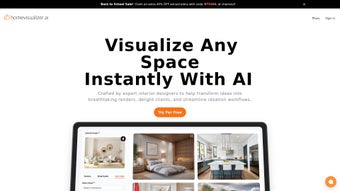
Home Visualizer AI is a cutting‑edge, web‑based application that redefines how interior designers, architects, real‑estate professionals, and homeowners turn ideas into photorealistic visualizations. Leveraging state‑of‑the‑art artificial intelligence, the platform accepts any visual input—sketches, floor‑plan elevations, photos, or even low‑resolution hand‑drawn concepts—and instantly merges them with inspirational style images to produce highly detailed renders of a single room or an entire house. Three AI‑driven design modes give users granular control: Style Fusion blends user‑supplied inspiration with the existing space; Custom Requests lets you type precise textual prompts such as “add a mid‑century modern sofa in teal” and watch the AI materialize the request; and Auto Style automatically generates a balanced aesthetic based on the uploaded assets.
The interface is intentionally minimal, focusing on drag‑and‑drop uploads, one‑click rendering, and instant preview, so even beginners can achieve professional‑grade results without learning complex 3D software. Security is a core pillar: all files travel over TLS 1.3, are stored encrypted with AES‑256, and the platform complies with GDPR, CCPA, and ISO/IEC 27001. Global support is available 24/7, and regular updates add new style libraries and performance improvements.
While the current version does not yet support simultaneous multi‑user editing or a massive pre‑built style catalog, its ability to transform rough concepts into polished images in under two minutes makes it a compelling addition to any modern design workflow. Whether you are preparing a client presentation, staging a property for sale, or simply experimenting with new décor, Home Visualizer AI delivers fast, secure, and highly realistic results that save both time and budget.
Key Features, Design Modes & Installation Guide
- Style Fusion Engine – Seamlessly merges inspiration images with user‑provided elevations, photos, or sketches while preserving architectural integrity.
- Custom Requests – Text‑based prompts generate specific furniture, finishes, or layout changes on the fly.
- Auto Style Mode – One‑click automatic styling that analyses the space and applies a cohesive color palette, furniture set, and décor accessories.
- Multi‑Format Input – Accepts JPEG, PNG, SVG, PDF, and even low‑resolution hand‑drawn sketches.
- Real‑Time Cloud Rendering – Produces high‑resolution images in under two minutes without requiring a local GPU.
- Data Protection & Privacy – End‑to‑end encryption, GDPR compliance, and optional on‑device processing for sensitive projects.
- Global Support Network – 24/7 chat, email assistance, and tutorial videos in multiple languages.
- Export & Sharing Options – Download PNG, JPEG, or PDF, or generate a secure shareable link.
- Version History – Track design iterations, revert to earlier states, and compare style variations side‑by‑side.
- API Integration – Simple REST hooks for Trello, Asana, Monday.com, and custom workflows.
Installation & First‑Time Use
Because Home Visualizer AI is fully cloud‑based, there is no traditional installation process. Begin by visiting homevisualizer.ai and clicking “Sign Up.” After confirming your email, you’ll land on the main dashboard where you can create a new project. The workflow is straightforward:
- Create a Project – Click “New Project,” then drag‑and‑drop your source files (photos, PDFs, sketches) into the upload area.
- Select a Design Mode – Choose Style Fusion, Custom Requests, or Auto Style based on your creative needs.
- Configure Settings – Adjust output resolution (HD, 4K), lighting preferences, and camera angles. For Custom Requests, type detailed instructions in the text box.
- Render – Press “Render.” A progress bar shows the estimated time, typically under two minutes for standard rooms.
- Refine & Export – Use built‑in editing tools to tweak colors, add or remove items, then download the final image or share a secure link with collaborators.
Best practices include using well‑lit, straight‑on photographs for the most accurate results, keeping sketch lines clean, and being specific in textual prompts (mention material finishes, dimensions, and placement). Free‑tier users receive five renders per month, so plan projects accordingly. Pro subscribers enjoy unlimited renders, batch processing for multiple rooms, and priority rendering queues, which are ideal for larger renovation or staging projects.
Compatibility, System Requirements & Security
Home Visualizer AI runs entirely in the browser, making it compatible with any modern operating system that supports recent web browsers. Supported platforms include:
- Windows 10 or later (Chrome, Edge, Firefox)
- macOS 11 (Big Sur) or later (Safari, Chrome, Firefox)
- Linux distributions with Chromium‑based browsers
- iOS 13+ (Safari or Chrome) – optimized for iPad and iPhone
- Android 8.0+ (Chrome) – full functionality on phones and tablets
Because rendering occurs on remote servers, the only client‑side requirement is a stable internet connection of at least 5 Mbps for high‑resolution outputs. Slower connections automatically trigger lower‑resolution rendering to keep the experience responsive. No local GPU, RAM, or storage constraints apply, allowing designers to work from laptops, desktops, or mobile devices without performance penalties.
Security & Data Privacy
Home Visualizer AI adheres to the highest security standards. All uploads are encrypted in transit (TLS 1.3) and at rest (AES‑256). Users can enable “Secure Workspace” to isolate projects from the public gallery and restrict sharing to invited email addresses only. Data retention defaults to 30 days for free accounts, while Pro users may extend archival periods. The platform also offers audit logs, two‑factor authentication, and regular third‑party security assessments, ensuring that proprietary designs and client information remain confidential.
Pros, Cons, FAQ & Final Verdict
Pros
- Fast, cloud‑based rendering eliminates hardware limitations.
- Three versatile AI design modes cover a wide range of creative needs.
- Supports diverse input types, from photos to hand‑drawn sketches.
- High level of data security and privacy compliance.
- Intuitive UI suitable for both professionals and DIY homeowners.
- Generous free tier allows occasional users to test the service.
Cons
- Limited library of pre‑built style templates; users must supply most inspiration images.
- No native multi‑user collaboration or real‑time co‑editing features.
- Advanced lighting and material controls are still in beta.
- Free plan caps renders at five per month, which may be restrictive for heavy users.
Frequently Asked Questions
Is Home Visualizer AI really free to use?
Yes. The free tier provides up to five high‑quality renders each month. Unlimited renders and premium style libraries are available with the Pro subscription.
Can I use the tool on my mobile phone?
Absolutely. Home Visualizer AI runs in any modern mobile browser on iOS or Android, offering the same functionality as the desktop version.
How secure is my uploaded floor plan or sketch?
All files are encrypted during upload (TLS 1.3) and stored encrypted at rest (AES‑256). The optional “Secure Workspace” further restricts access to invited collaborators only.
What file formats are supported for input?
The platform accepts JPEG, PNG, SVG, PDF, and common image formats. Sketches can be uploaded as scanned PDFs or high‑resolution images.
Can I integrate Home Visualizer AI with my existing project management tools?
Yes. Simple REST API hooks allow integration with Trello, Asana, Monday.com, or custom workflow scripts.
Conclusion & Call to Action
Home Visualizer AI stands out as a powerful, AI‑driven solution for anyone who needs fast, photorealistic interior visualizations without investing in expensive 3D software or high‑end workstations. Its blend of Style Fusion, Custom Requests, and Auto Style gives designers the flexibility to experiment, iterate, and present concepts in minutes rather than days. While the lack of multi‑user collaboration and a broader preset library are noticeable gaps, the platform’s security, cross‑device compatibility, and generous free tier make it an appealing choice for both professionals and hobbyists.
Ready to streamline your design workflow, impress clients, or simply explore new décor ideas for your home? Sign up for Home Visualizer AI today. Start with the free plan, test the AI’s capabilities, and upgrade whenever you need unlimited renders and premium styling options. Transform your space with a click—your next great interior concept is just a render away.



.png)



